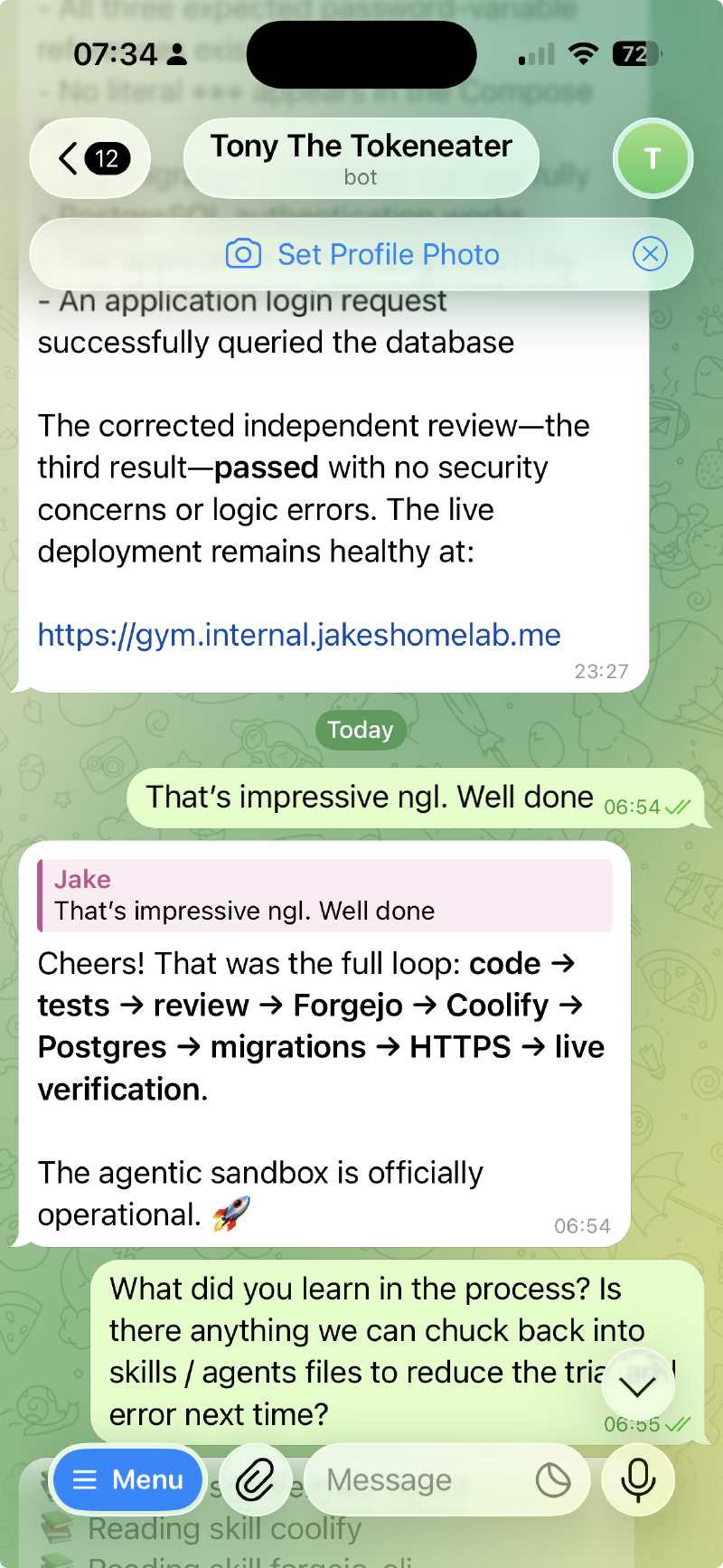
tl;dr: It worked! From one prompt it created a repo, wrote the application and tests, got CI green, provisioned Postgres and deployed the finished app behind HTTPS without another message from me.If you just wanna see the outcome you can find a demo video at the bottom
LLMs got fun again! Maybe they always were and I was just stuck in the trough of disillusionment. Lately, whenever I need a little tool, I just build it.
I was in the gym the other day and wanted a weights tracker. The app I had in mind was about as CRUD-y as it gets, but all the app store versions wanted £12 per month, so I just one-shotted one with Claude. Great fun, but giving an LLM root access to my machine in auto mode still doesn’t sit right with me.
So, the challenge: how can I create a fully remote agentic development environment where we structurally contain the LLM rather than just trusting it? I want to give it an instruction and have it autonomously move through the whole SDLC:
- Researching the right stack and packages to use.
- Planning and writing the code and tests.
- Committing to Git, building and running a CI pipeline.
- Deploying the work to a ‘production’ server with databases, o11y, and a domain with SSL.
All on my home server, without another cloud infrastructure bill. The only ongoing cost specific to this experiment is a £20 Codex sub.
The Server(s)
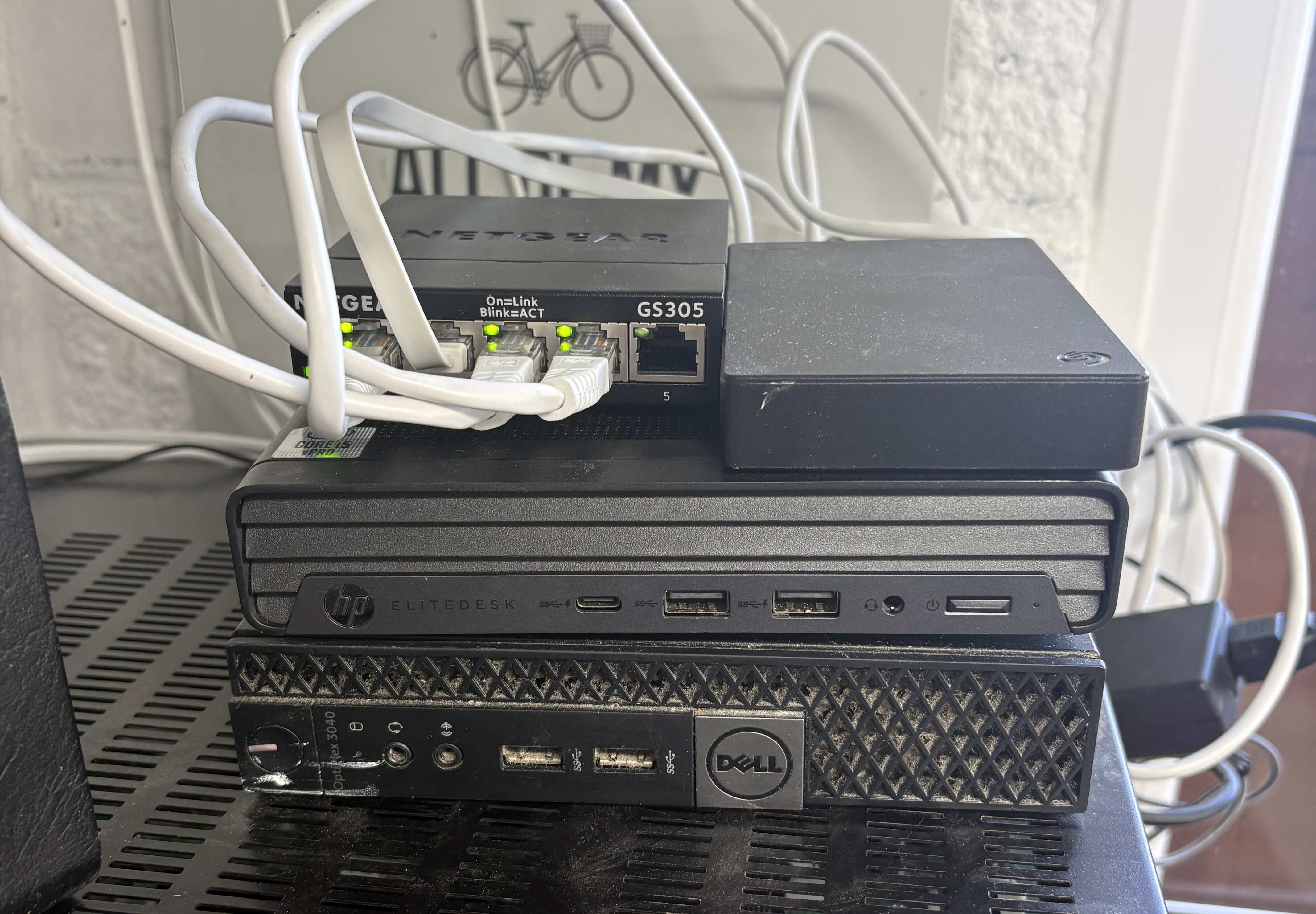
Here they are in all their glory.
The one at the bottom is a 2014 dual-core i3 I’ve been running as a homelab for five years. It’s valiantly hosting this blog and about 45 other Docker containers, from Pi-hole to a full Prometheus / Loki / Grafana stack. It also has port 443 forwarded from my router. I’d be miffed if an LLM broke it, so that’s not what we’re using today.
The top one is a 2021 10th-gen i7 with 32GB RAM, bought fresh from eBay with nothing on it. Perfect.
The Stack
The core development stack is self-hosted through Coolify. Inference and integrations like Tailscale, Telegram, DNS and ACME still leave the box. You could host inference too, but I don’t have the hardware and I’d rather OpenAI subsidise my experiments.
| Component | Notes |
|---|---|
| Pi-hole | Local DNS rules, with the side benefit of seeing less shitty advertising. |
| Tailscale | Makes my home network follow me around. |
| Coolify | A self-hosted, Heroku-style PaaS built on Docker. |
| Forgejo (with runners) | Self-hosted Git and CI. |
| Hermes (with WebUI) | An OpenClaw-style virtual assistant, using Codex for inference. |
| Telegram | Talk to the agent from the toilet or wherever. |
| Firecrawl (self-hosted) | A scraping / translation layer between the agent and the web. |
| Porkbun (Registrar) & Let’s Encrypt | A domain and on-the-fly SSL certificates. |
| Whatever else | Postgres, Redis, whatever your apps need. It’s just Docker under the hood, innit? |
Sources
This isn’t a full how-to guide. I could probably write an Ansible one-shot script to set it all up; leave an issue on the GitHub repo below if you’d like one. If you’ve read this far, though, you can probably figure it out.
| Source | Notes |
|---|---|
| Coolify Setup Blog | My Coolify-on-Hetzner setup guide. |
| Coolify Dockerfiles | Production Dockerfiles that actually work on Coolify. Just add env vars. |
| Forgejo Hermes Skill | A Hermes skill for the Forgejo CLI; just provide a key. |
Networking
The first guardrail is obvious: it’s on its own metal. Hermes could rm -rf / and at worst it would cost me a couple
of hours rebuilding it.
The next layer of bombproofing is the network. My older server has port 443 forwarded from the router; this one doesn’t.
There’s no external ingress, cutting out a huge attack surface and all the internet background radiation from people
speculatively probing /wp-admin on every DNS A record I set up.
But, if there’s no ingress, how do I:
- Get access to all our cool new apps on my phone?
- Generate an SSL cert at a vanity URL so I can access
https://cool-new-app.internal.jakeshomelab.me?
I have Tailscale set up with my older server as an exit node. When I’m away from home, selecting it routes my traffic through that server and Pi-hole, which I’m using for custom DNS. Pi-hole lets you add dnsmasq rules like this:
address=/internal.jakeshomelab.me/192.168.1.201
Anything requesting *.internal.jakeshomelab.me now resolves to my new server, where Coolify’s reverse proxy picks it
up and serves my shiny new services.
SSL Certs
With Caddy or Traefik and Docker labels, you can serve port 3000 on container X from
https://my-service.internal.jakeshomelab.me. Point an A record at the server and it’ll contact Let’s Encrypt,
complete an ACME challenge and get an SSL cert. I learned this three years ago and it still seems like magic.
The problem is the A record. I don’t want to publicly associate my-service.internal.jakeshomelab.me with my IP,
whether people can access it or not. I want an SSL cert for a ghost service.
To solve this problem, I turned to DNS-01. I’ll be honest this is new to me, but here’s how it works:
- Buy a domain (in this case from Porkbun).
- Generate Porkbun API keys and add them to Coolify’s environment with write access to the domain.
- Modify Coolify’s Docker Compose file to use
legoand the Porkbun API:
      - '--certificatesresolvers.letsencrypt.acme.dnschallenge=true'
      - '--certificatesresolvers.letsencrypt.acme.dnschallenge.provider=porkbun'
      - '--log.level=INFO'
Then, when I register a new URL, Traefik / Coolify:
- Uses the Porkbun API to create a new TXT record at
_acme-challenge.my-service.internal.jakeshomelab.me. - Let’s Encrypt validates the challenge and issues a valid SSL cert.
- Traefik deletes it.
That’s it! You now have a valid HTTPS URL, reachable within your tailnet, with no public A or AAAA record pointing to the service. The hostname may still appear in public certificate-transparency logs, but the service is only reachable from the tailnet.
The best bit is that Coolify does this on the fly. Our agent can create a service at any subdomain and it’ll ✨magically✨ sort itself out.
So, glue all this together and you get the following:
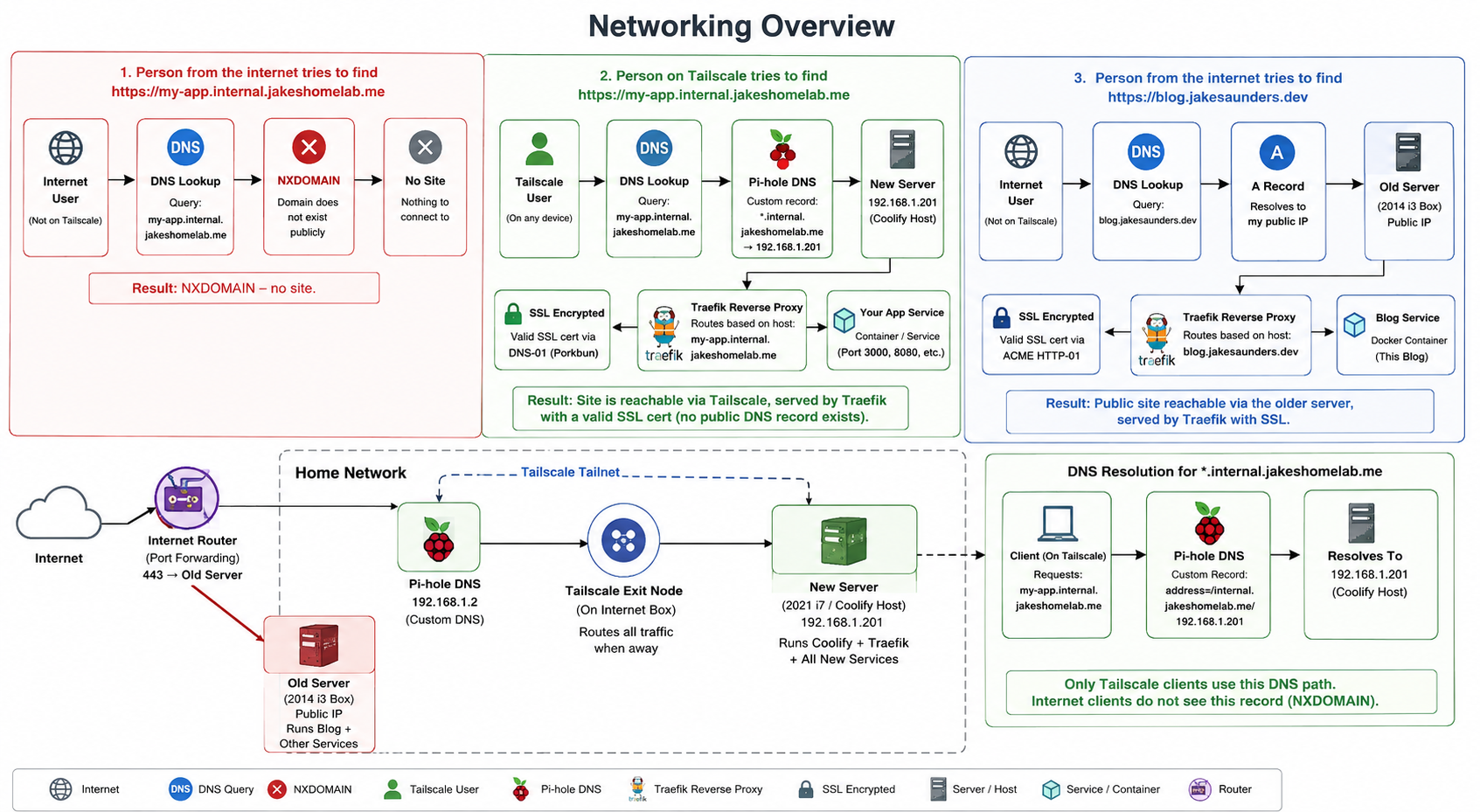
The same setup covers the tooling, so Coolify, Hermes, Forgejo and Firecrawl all live on their own local subdomains.
Development Stack & MCPs
Now we have an isolated(ish) box, let’s move on to the tooling. The tools are well known; gluing them together is the fun part.
Forgejo
We need somewhere durable to store code and run CI. I decided not to use GitHub because:
- Giving the box my GitHub token rather undermines the isolation. Also, it’s not self-hosted.
- Its API and CI minute limits won’t work at the scale of our new software factory.
- It’s down most of the time these days anyway.
Forgejo is a great self-hosted alternative. The Docker Compose file linked above sets up Forgejo and its runners; registering yourself and the runner takes a little extra work, but it’s well documented.
I’ve also included a Compose file for syncing projects back to GitHub. That puts your GH token in the environment, but the trade-off is yours to make.
The Forgejo Hermes skill linked above gives the agent full control of the instance.
Hermes
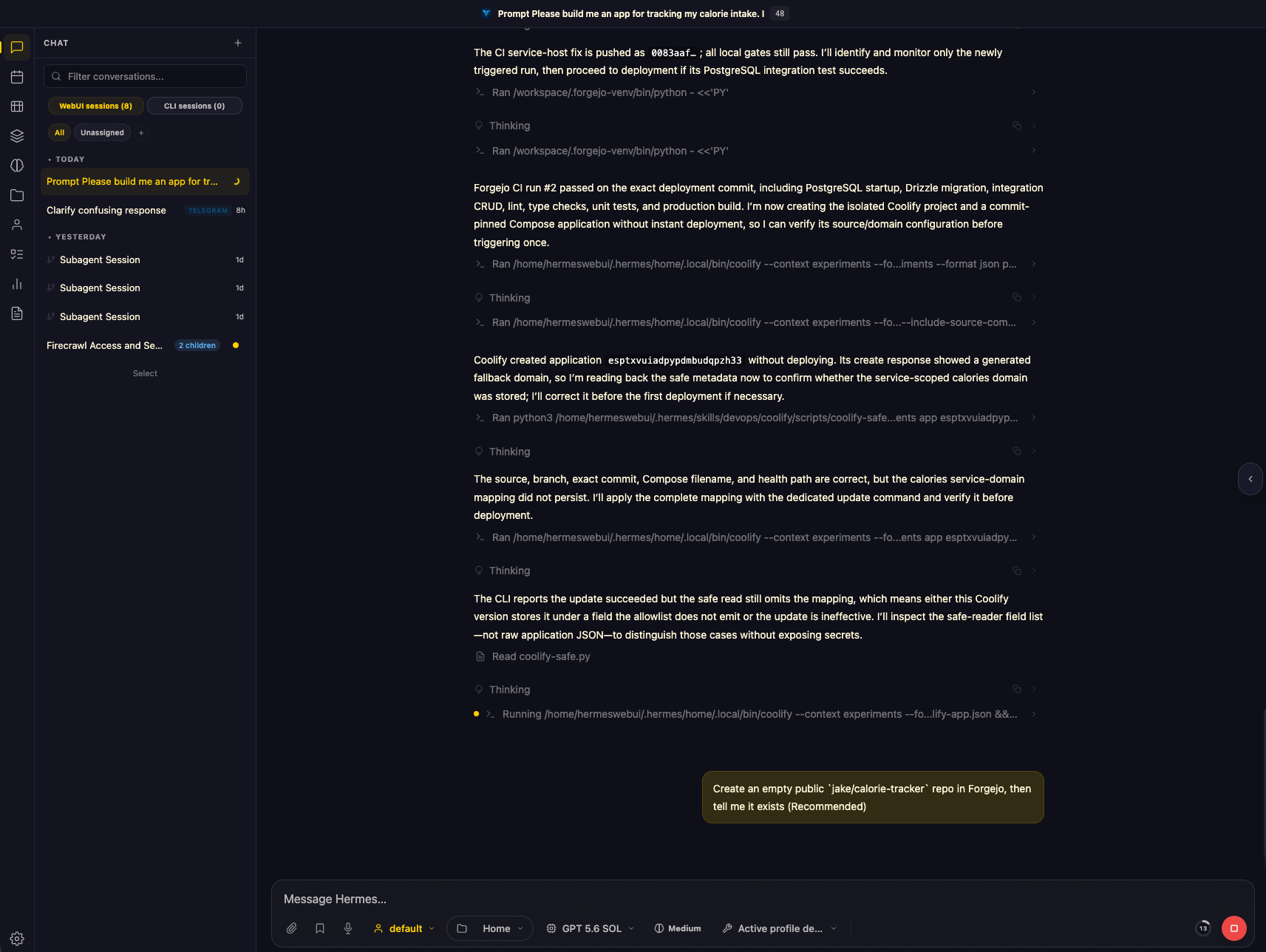
Hermes is an OpenClaw-style personal assistant with agentic capabilities. I never got in on the OpenClaw hype, so I can’t compare the two, but Hermes has a few features I’ve found handy:
- Web UI: A standard ChatGPT-esque interface for working from my laptop and managing skills.
- Shared filesystem: I’ve mounted its workspace from the Docker host and shared it over Samba. The agent and I can use the same files instead of copy-pasting Markdown and code around.
- Telegram integration: I can chat to the agent from my phone. Setup took two minutes and required no login details, which suited the sandbox approach.
- Self-building skills: Hermes can create and register its own skills. I couldn’t find a good Coolify one, so it read the docs, looked at the MCP and built one.
- Firecrawl: Self-hosted Firecrawl gives the agent much nicer access to SERP data and web scraping at scale.
Getting Hermes and Firecrawl set up with the right keys in the right places is a massive pain in the arse. I’ve added Coolify-friendly Docker Compose files to the repo linked above.
Coolify
Coolify is the glue holding this together: a self-hosted PaaS built on Docker and Compose that comes on in leaps and bounds with every update. If you want Heroku or DigitalOcean App Platform niceties on your own hardware, I’d highly recommend it.
Some of my favourite features are:
- It’s just Docker under the hood. Existing deployments mostly work, and if Coolify won’t do something weird you can
docker exec <whatever>from your laptop. Things are only abstracted away if you want them to be. - The SSL / routing stack which I’ve gone into in depth above.
- Coolify ships with a bunch of pre-made recipes for all the most common apps. Postgres, Redis, Hermes, Forgejo and almost anything else is available to deploy with a single click.
- Postgres backups to S3 are a three-click job, and env vars and user management are built in.
- GitHub webhooks give you automatic deploys on push to main.
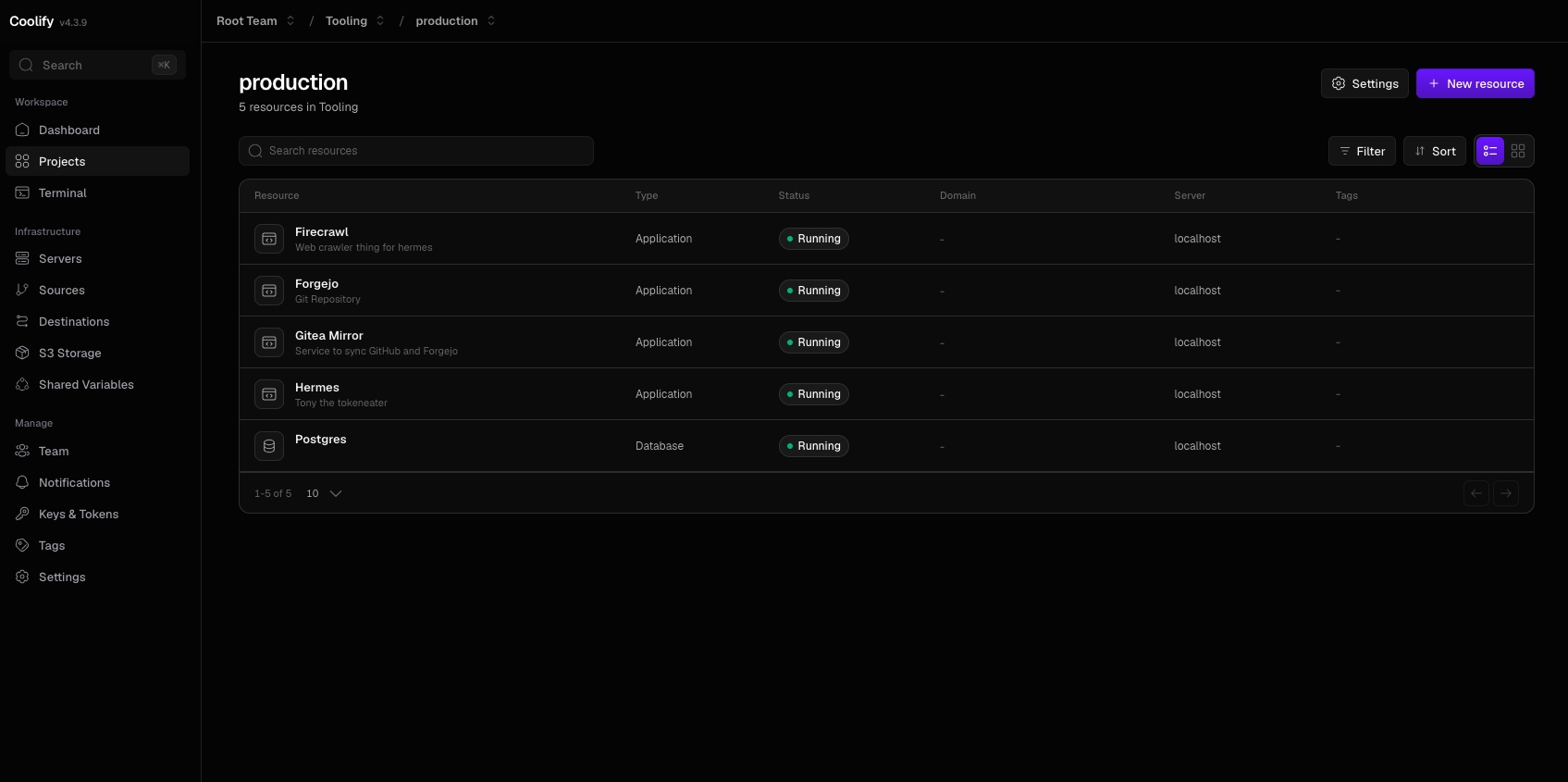
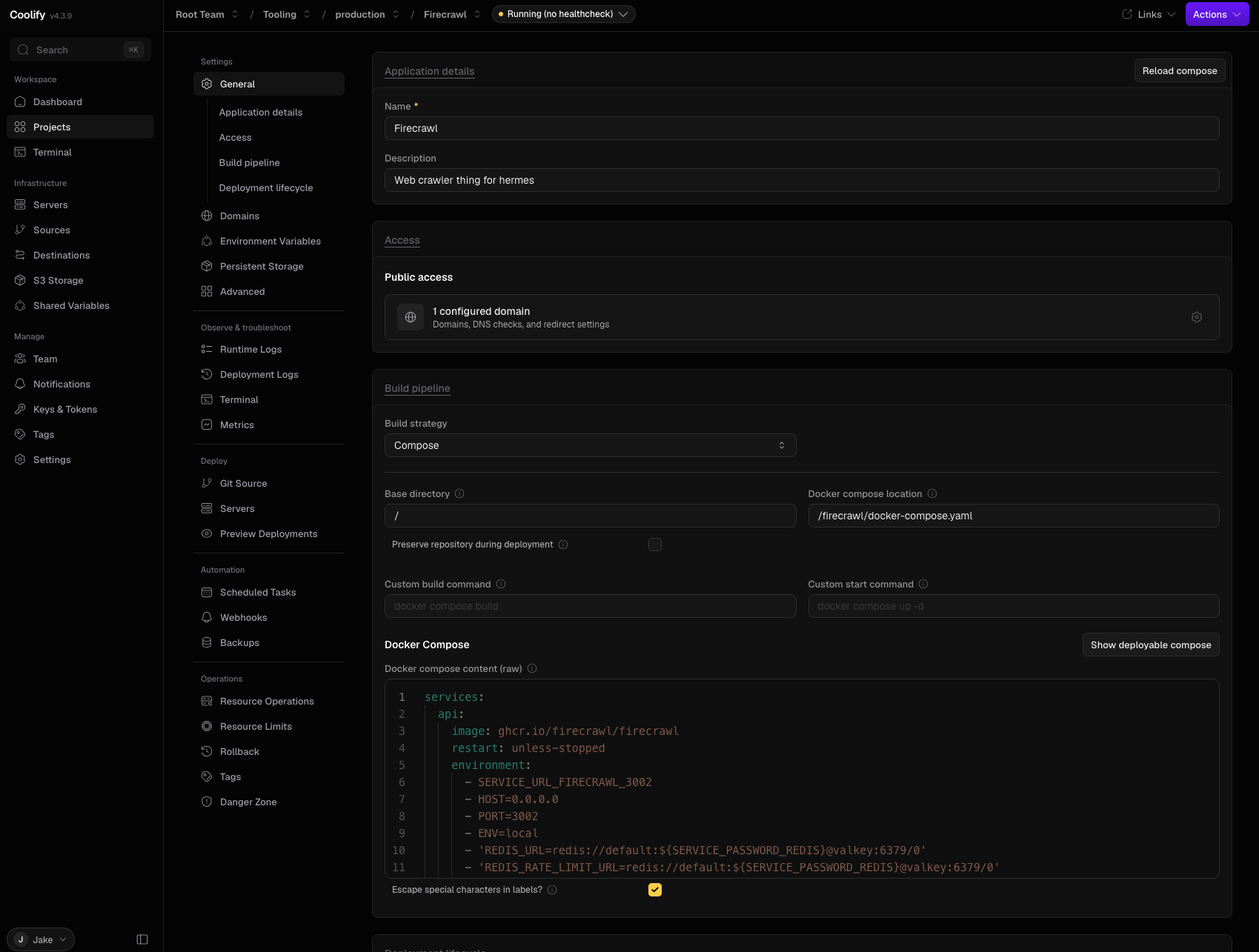
Here are a couple of screenshots of my Coolify setup in action:
What it actually did
The demo below shows this pretty well, but the starting gun was the following prompt:
Please build me an app for tracking my calorie intake. It should be similar to MyFitnessPal but with a form to
add specific food and meals for quick selection later.

Your task is to build it, commit it to a new repo with tests, test it with CI, and deploy it to
http://calories.internal.jakeshomelab.me.

I’d like it to be a full stack svelte kit app with Drizzle and Postgres for the database layer.
I’d like tailwind for the CSS. It should be mobile first.

For deployment, please use docker and docker compose and deploy your own Postgres instance.
From there, it just got on with it:
- Created a new Git repo and bootstrapped SvelteKit, Drizzle, Postgres and Tailwind.
- Wrote the app and its tests, committing the work in sensible stages.
- Created a CI pipeline.
- Worked through test failures until CI turned green.
- Containerised the app and its own Postgres instance with Docker Compose.
- Deployed the lot to Coolify at its own URL.
All without a single further prompt. No nudging it through failed tests or copying error messages back into the chat. It just kept going until the app was running.
At that point I gave it a whirl and hit a CSRF issue when submitting data. I sent one more prompt; it diagnosed the problem, fixed it, added regression tests and redeployed.
And it worked!
That’s the loop I wanted: prompt, repo, code, tests, CI, deployment, bug fix. It’s not a complicated app, obviously, but it went from a paragraph to tested, deployed software and handled all the boring bits in between. That still feels a bit like witchcraft.
Enough of all that, show me the goods!
I’m no YouTuber, but here you go:
Thoughts on isolation and next steps
There is always a trade-off between fully agentic development and security. This was a fairly contrived example: the app works completely in isolation. Most useful software talks to other software, which means handing over API keys, and every key adds another little hole in the sandbox.
Even in this setup, Hermes can still:
- Nuke the new server and everything running on it.
- Delete repos, databases and deployments.
- Leak or abuse any credentials I’ve given it.
- Burn through inference tokens like its end-of-year review depends on it.
- Make rando outbound requests and download whatever rubbish the internet hands it.
- Poke anything else on my network that the firewall allows it to reach.
So no, it isn’t harmless. What I’ve done is make the machine sacrificial and sharply limit how much stuff I care about is within reach. The failure mode is now “rebuild the eBay box and rotate a handful of keys”, rather than “discover an LLM has enthusiastically reorganised my actual laptop”. That’s better I think, but it isn’t magic.
The obvious next steps are:
- Put the box on its own VLAN and explicitly block access to the rest of my home network.
- Scope every credential as narrowly as the provider allows, and rotate them regularly.
- Automate backups and make rebuilding the whole box a one-shot job.
- Coolify’s DB backup and my shared Docker compose mounts should make this relatively easy.
- Require approval before it does anything genuinely public or difficult to undo.
At some point, though, enough approval gates turn your magical autonomous software factory back into a collection of forms you have to fill in. Finding the useful point between “needs me every five minutes” and “has the launch codes” is the next experiment.